Integrating Islamic Window and Mosque Silhouette Assets into Professional Design Workflows
In the realm of digital design and creative production, the selection of visual assets is rarely just an aesthetic choice; it is a strategic decision that impacts workflow efficiency, brand consistency, and audience engagement. The Islamic Window and Mosque Silhouette collection represents a specialized niche within architectural and cultural graphic resources. For designers, marketers, educators, and content creators, understanding how to effectively integrate these intricate patterns and symbolic imagery into broader projects is essential for maximizing their utility.
This article explores the practical application of Islamic architectural silhouettes, focusing on how these assets fit into professional workflows. We will examine the technical aspects of file compatibility, the contextual importance of cultural accuracy, and the step-by-step process of incorporating these elements into various media formats. By treating these graphics not merely as decorative items but as functional components of a design system, creators can enhance the quality and depth of their output.
Understanding the Asset: More Than Just Black and White Shapes
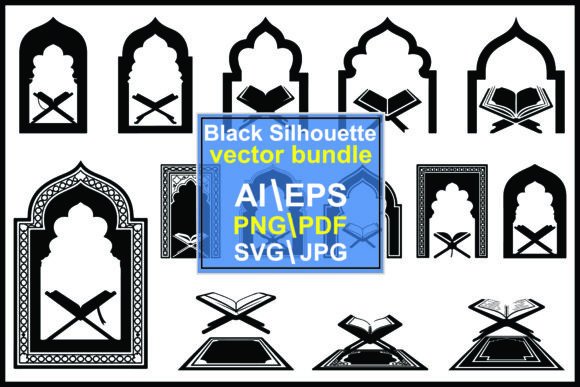
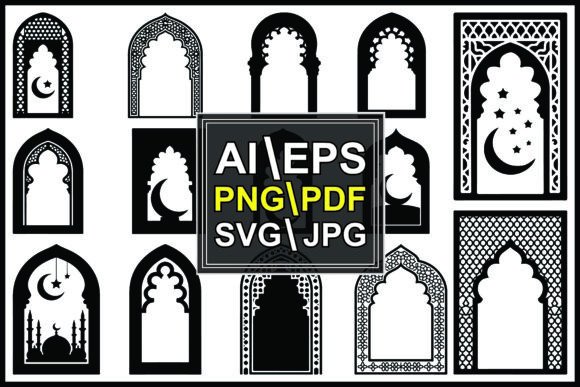
At first glance, a silhouette of a mosque or an ornate Islamic window may appear simple—a high-contrast composition of black shapes against a white background. However, the value of these assets lies in their geometric precision and cultural resonance. The crescent, the star, and the intricate lattice work found in traditional Islamic architecture are not random decorations; they are symbols of faith, history, and artistic heritage.
When you acquire a bundle containing these elements, you are gaining access to a library of traditional motifs that can serve multiple functions. They can act as primary focal points, subtle background textures, or framing devices. The key to successful implementation is recognizing the versatility of the geometric nature of these designs. Unlike organic shapes, Islamic patterns are built on mathematical principles, making them highly scalable and adaptable to rigid grid systems often used in web design, print layouts, and packaging.
Technical Preparation and File Management
Before integrating any asset into a project, proper preparation is crucial. The silhouette vector bundle typically arrives as a compressed ZIP folder. This format is standard for distributing multiple file types efficiently, but it requires an initial step of extraction. Using software like WinZip, 7-Zip, or the built-in extraction tools in macOS and Windows, you must unzip the folder to access the individual files.
The inclusion of multiple formats—JPG, PNG, AI, EPS, SVG, and PDF—is designed to accommodate diverse software ecosystems. Understanding which format to use at each stage of your workflow prevents quality loss and saves time:
- Vector Formats (AI, EPS, SVG): These are the most critical files for professional work. They allow for infinite scaling without pixelation. Use these when you need to resize a mosque silhouette for a large banner or a small business card. They are also editable, meaning you can modify anchor points, change colors, or isolate specific parts of the ornament.
- Raster Formats (JPG, PNG): These are best for quick implementations where editing is not required. PNG files with transparent backgrounds are particularly useful for overlaying Islamic window patterns onto photographs or colored backgrounds in web design or social media posts.
- PDF: Ideal for direct printing or sharing proofs with clients who do not have specialized design software.
Organizing these files immediately after extraction is a best practice. Create a dedicated folder structure within your project directory. Separating vectors from rasters ensures that you do not accidentally use a low-resolution JPG for a high-stakes print job, a common error that compromises quality control.
Workflow Integration: From Concept to Execution
Integrating Islamic Window and Mosque Silhouette assets into a project involves several stages, from initial concept development to final output. Here is how these assets can be strategically placed within different phases of creation.
Phase 1: Conceptualization and Mood Boarding
During the early stages of a project, such as branding for a cultural event, designing a Ramadan campaign, or creating educational materials about religious history, these silhouettes serve as excellent reference points. Dragging SVG or PNG files into your mood board software helps establish the visual tone. The stark contrast of black and white allows you to focus on shape and composition without the distraction of color, ensuring that the architectural integrity of the design remains central.
Phase 2: Design and Composition
This is where the versatility of the vector bundle shines. If you are working in Adobe Illustrator or similar vector-based software, open the AI or EPS files. You can deconstruct complex motifs to create custom borders or frames. For instance, a detailed window pattern can be repeated to create a seamless texture for a website background. Alternatively, a landmark mosque silhouette can be used as a hero image element, anchored at the bottom of a poster to provide weight and context.
For users working in raster-based programs like Photoshop, the PNG files offer immediate usability. Since these files often come with no watermark and include transparent backgrounds, they can be layered directly over images. Adjusting the opacity or blending modes can create subtle decorative effects that enhance the depth of a photograph without overpowering the main subject.
Phase 3: Adaptation Across Platforms
Modern projects rarely exist in a single medium. A design created for a print brochure may need to be adapted for Instagram, a website header, or an email newsletter. The presence of SVG files is particularly valuable here. SVGs are code-based, meaning they load quickly on websites and remain crisp on high-density retina displays. Using an SVG for a crescent or star icon ensures consistent rendering across all devices, maintaining consistency in your brand identity.
Practical Use Cases and Industry Applications
The application of Islamic Window and Mosque Silhouette graphics extends beyond religious contexts. Their aesthetic appeal and geometric sophistication make them suitable for various industries:
- Hospitality and Tourism: Hotels and travel agencies specializing in trips to the Middle East or North Africa can use these silhouettes in brochures, websites, and packaging to evoke a sense of place and cultural authenticity.
- Education and Publishing: Textbooks, e-learning modules, and historical documentaries benefit from accurate architectural illustrations. These assets provide clear, recognizable symbols that help students and readers visualize historical buildings and artistic traditions.
- Event Planning: For weddings, conferences, or community gatherings, these patterns can be used in invitation designs, stage backdrops, and signage. The intricate details add a layer of elegance and formality.
- Product Design: Entrepreneurs creating home decor items, such as throw pillows, wall art, or stationery, can license or purchase these bundles to create unique prints. The high-contrast nature of silhouettes works well for screen printing and laser cutting.
Ensuring Cultural Respect and Accuracy
When using religious or culturally significant symbols, sensitivity is paramount. While these assets are designed for creative flexibility, it is important to use them in a manner that respects their origins. Avoid distorting sacred symbols in ways that could be considered offensive. Understanding the difference between decorative geometric patterns and specific religious iconography helps ensure that your usage is appropriate and respectful.
Furthermore, verify the accuracy of the architectural elements if your project claims historical specificity. Not all mosques share the same structural features; domes, minarets, and arch styles vary by region and era. Using a generic mosque silhouette is acceptable for broad thematic designs, but specific projects may require more tailored research to ensure authenticity.
Long-Term Asset Management and Efficiency
To maximize the return on investment for your design resources, treat this silhouette vector bundle as a long-term asset. Store the original ZIP file in a secure, backed-up location. Maintain a catalog or library of your purchased assets, tagging them with keywords like "Islamic," "architecture," "pattern," and "silhouette." This organization allows for rapid retrieval in future projects, enhancing overall efficiency.
Regularly update your software to ensure compatibility with the latest AI, EPS, and SVG standards. As design tools evolve, so do the features available for manipulating vector graphics. Staying current ensures that you can take full advantage of the editable nature of these files.
Conclusion
The Islamic Window and Mosque Silhouette collection is more than a set of images; it is a versatile toolkit for creators seeking to infuse their work with cultural depth and architectural beauty. By understanding the technical specifications, organizing files effectively, and integrating these assets thoughtfully into your workflow, you can elevate the quality of your designs. Whether you are a freelancer creating a logo, a marketer launching a campaign, or an educator developing course materials, these resources offer a reliable foundation for creative execution.
For those looking to expand their library, remember that support is available. If you encounter issues with file extraction or compatibility, reaching out to the provider can resolve technical hurdles quickly. Explore further products to find complementary assets that align with your creative vision, ensuring a cohesive and professional outcome for every project.